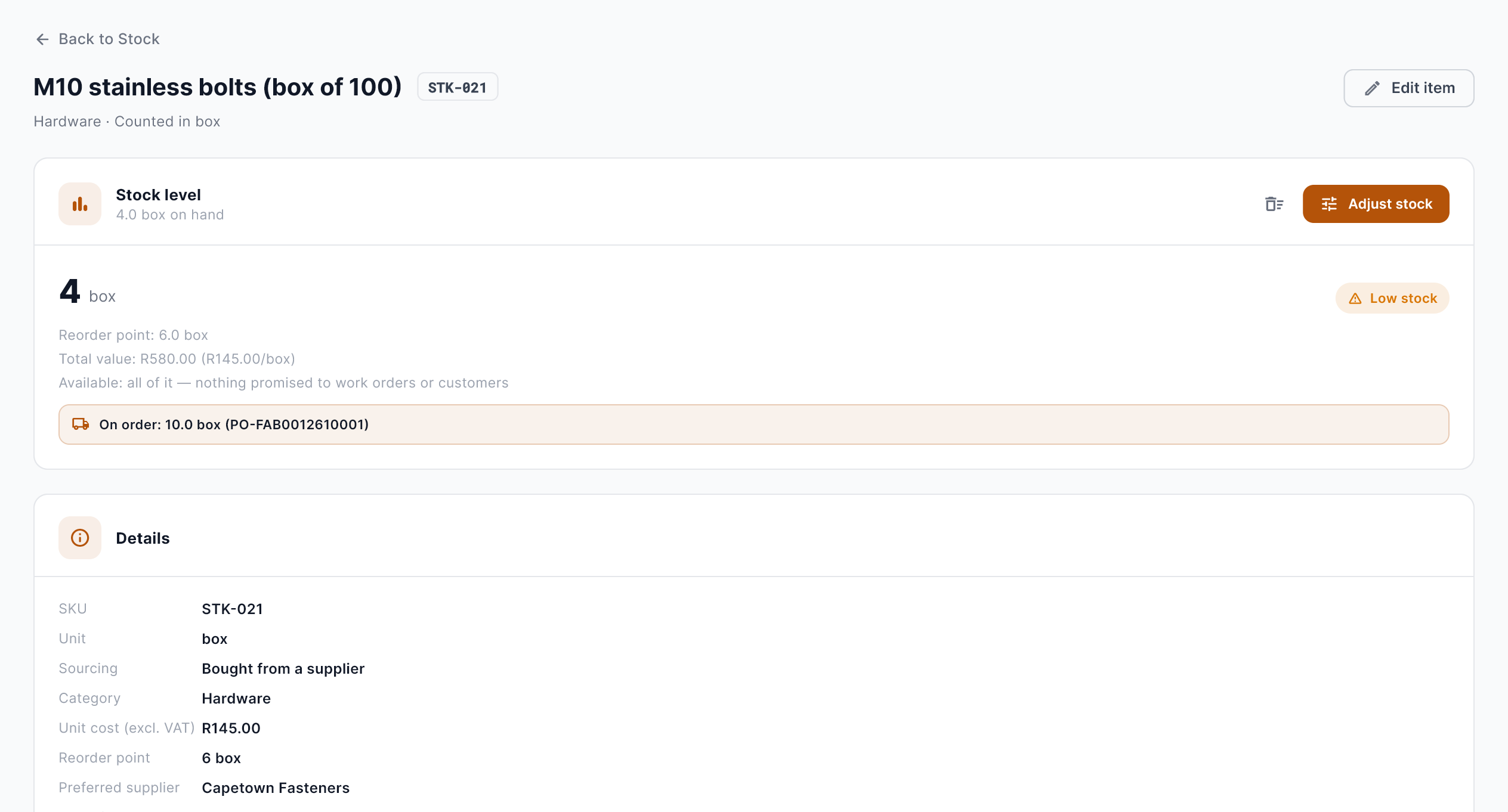
Every item is in stock, low, or out.
Set a reorder point once per item. After that the level works itself out from what’s on hand, so you scan a list instead of walking the racks.
See it done, step by step.
From “we’re low” to on the shelf.
The buying is in the same place as the counts. Here’s each step, as it looks in the app.
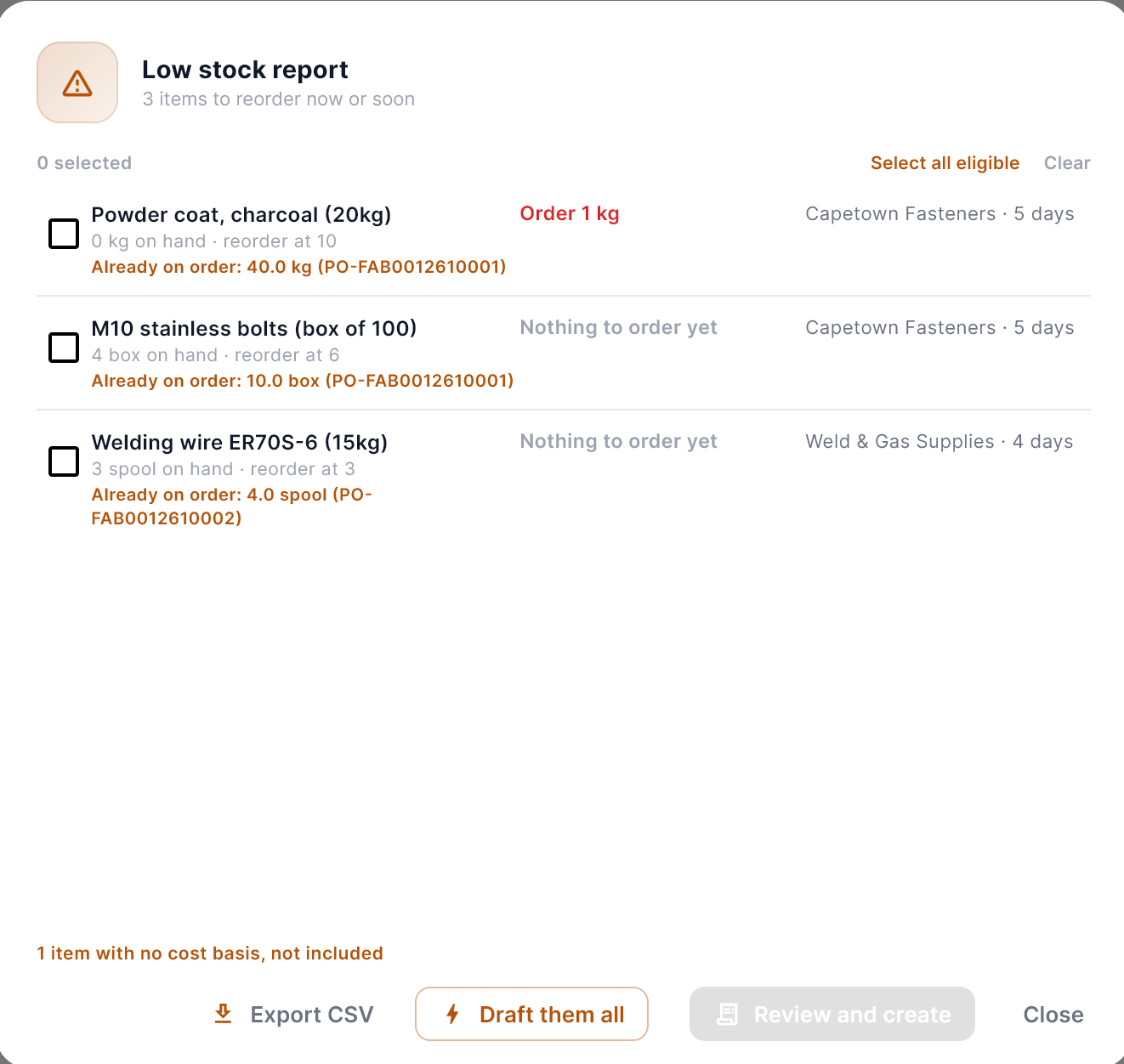
See what to reorder, and who from.
Everything at or below its reorder point, or about to be, with a suggested quantity, its preferred supplier and how long they take to deliver.
- Items already on a purchase order are flagged with its number, and left unticked so nobody orders twice.
- Draft them all makes one draft purchase order per supplier, straight away.
- Export the list as CSV.
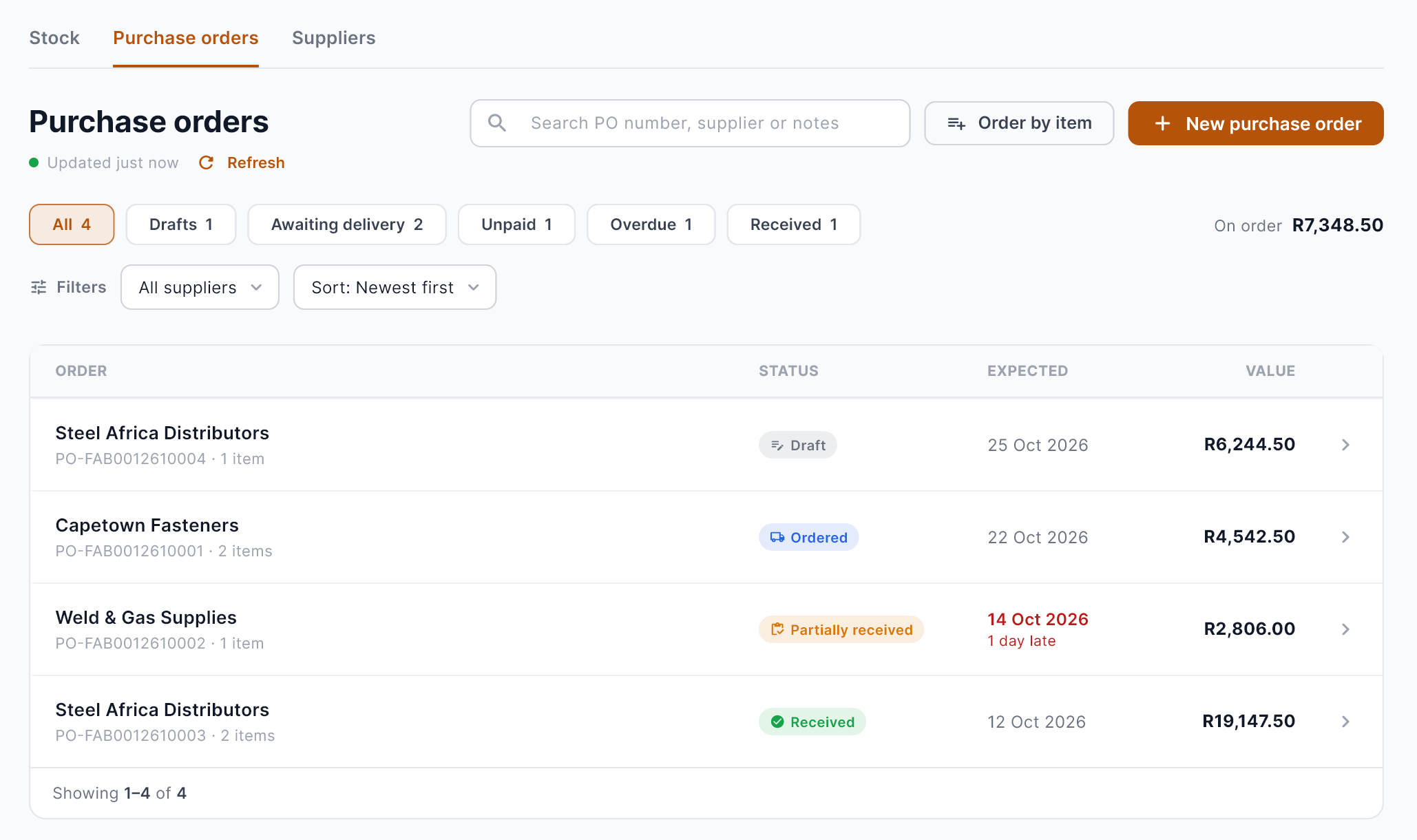
Every order to every supplier, in one list.
Each order shows its supplier, status, expected date and value. Late ones are marked in red with how many days late they are.
- Filters for Drafts, Awaiting delivery, Unpaid, Overdue and Received.
- What’s on order, in rand, at the top.
- Order by item: pick what you need, and each item goes to its own preferred supplier.
- Orders over your approval limit wait for an Owner, Admin or Manager, who is emailed.
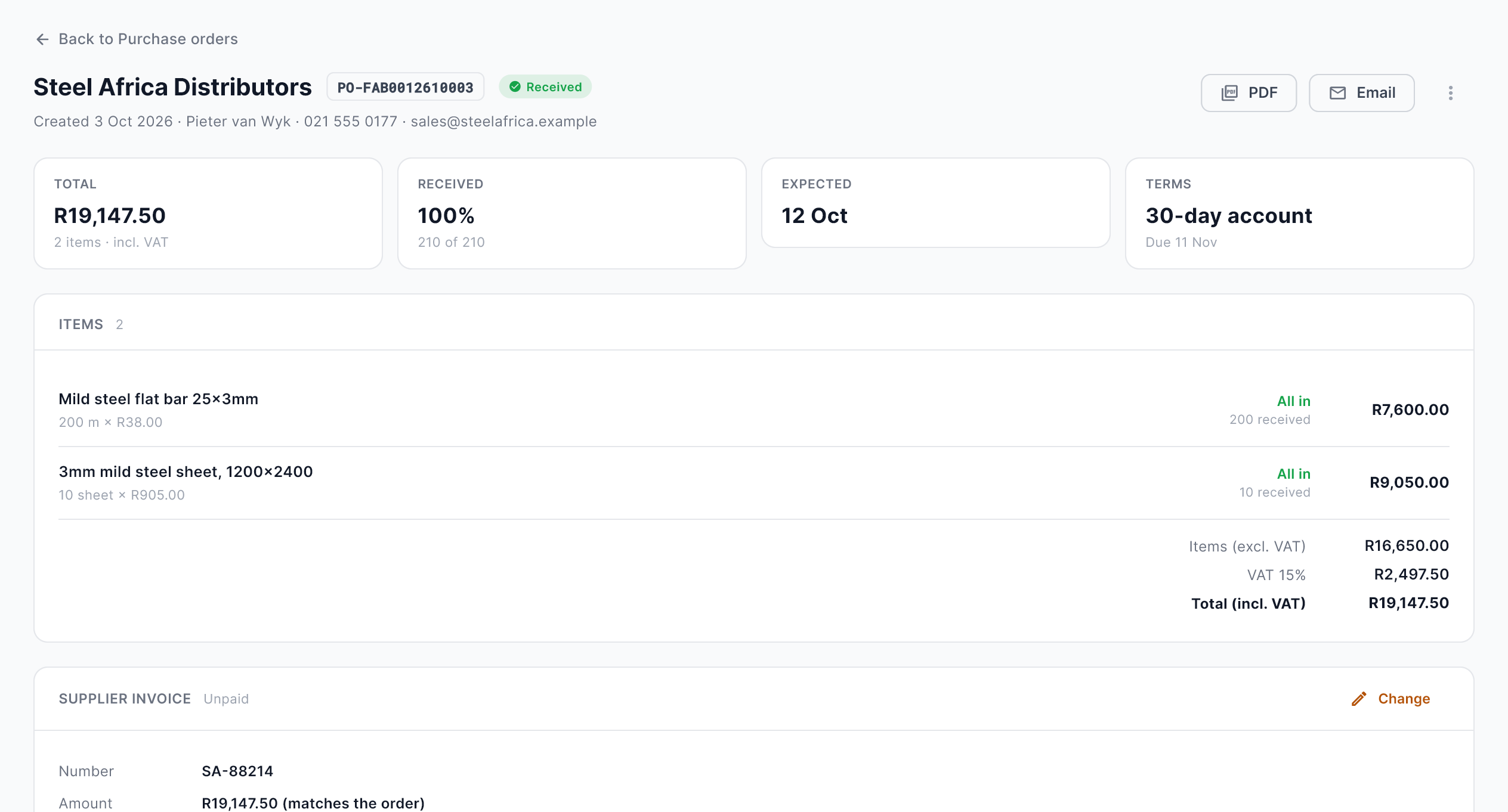
Received, and checked against the invoice.
Receive what arrived, all of it or part. On-hand counts go up as you save. When the supplier's invoice comes, enter it on the order and check each line's price.
- A price that changed on the invoice updates the order, revalues the stock and, if you choose, the supplier’s price list.
- The payment due date follows the supplier’s terms. Mark it paid when you pay.
- Send the order as a PDF, chase a late one, close it short, or send stock back.
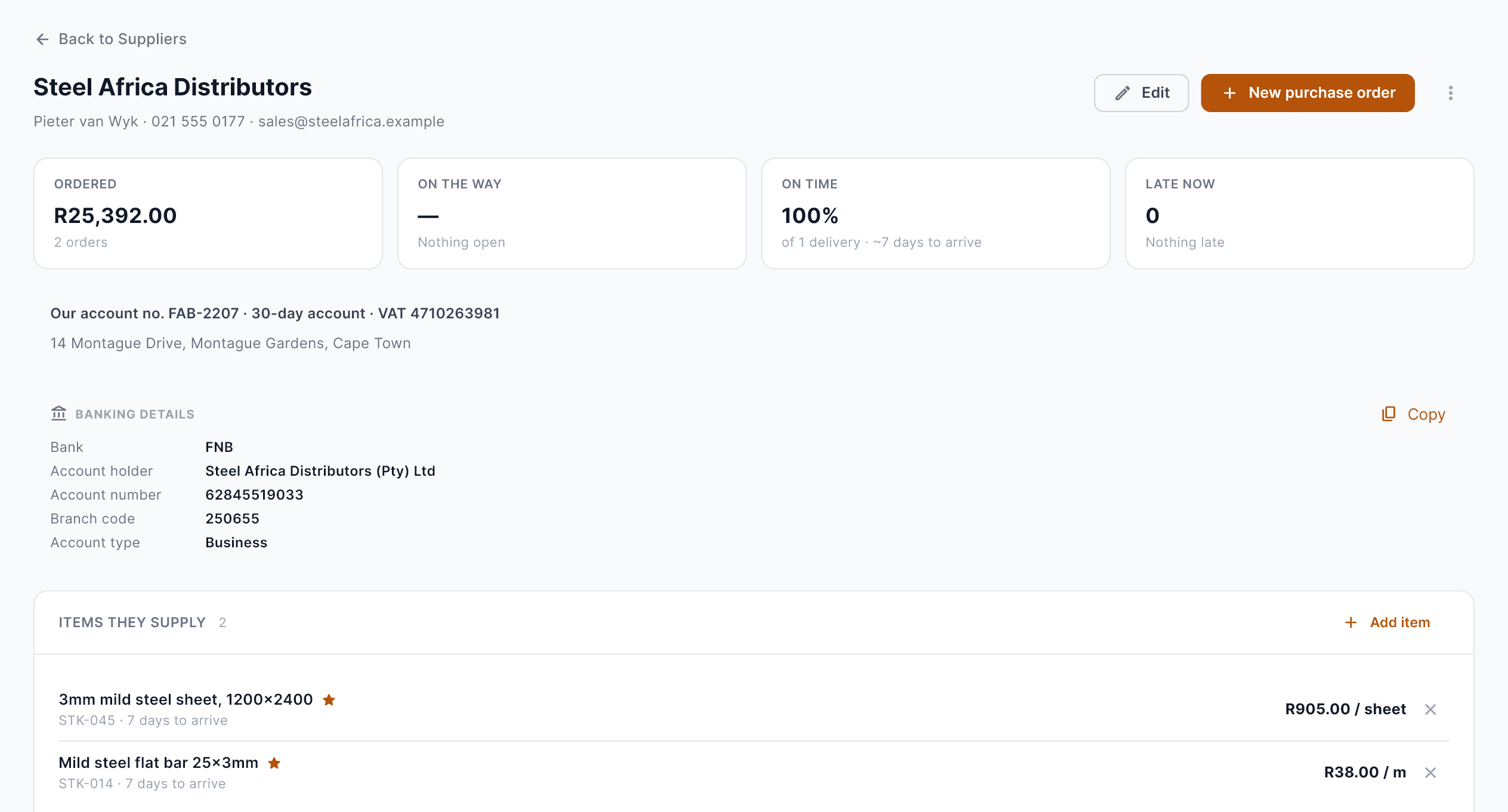
Each supplier on one page.
Contact, your account number with them, payment terms and VAT number, with their banking details ready to copy when you pay.
- What you’ve ordered from them, what’s on the way, and how often they deliver on time.
- The items they supply, at what price, with your preferred supplier for each marked.
- How many days they really take to deliver, worked out from their last deliveries.
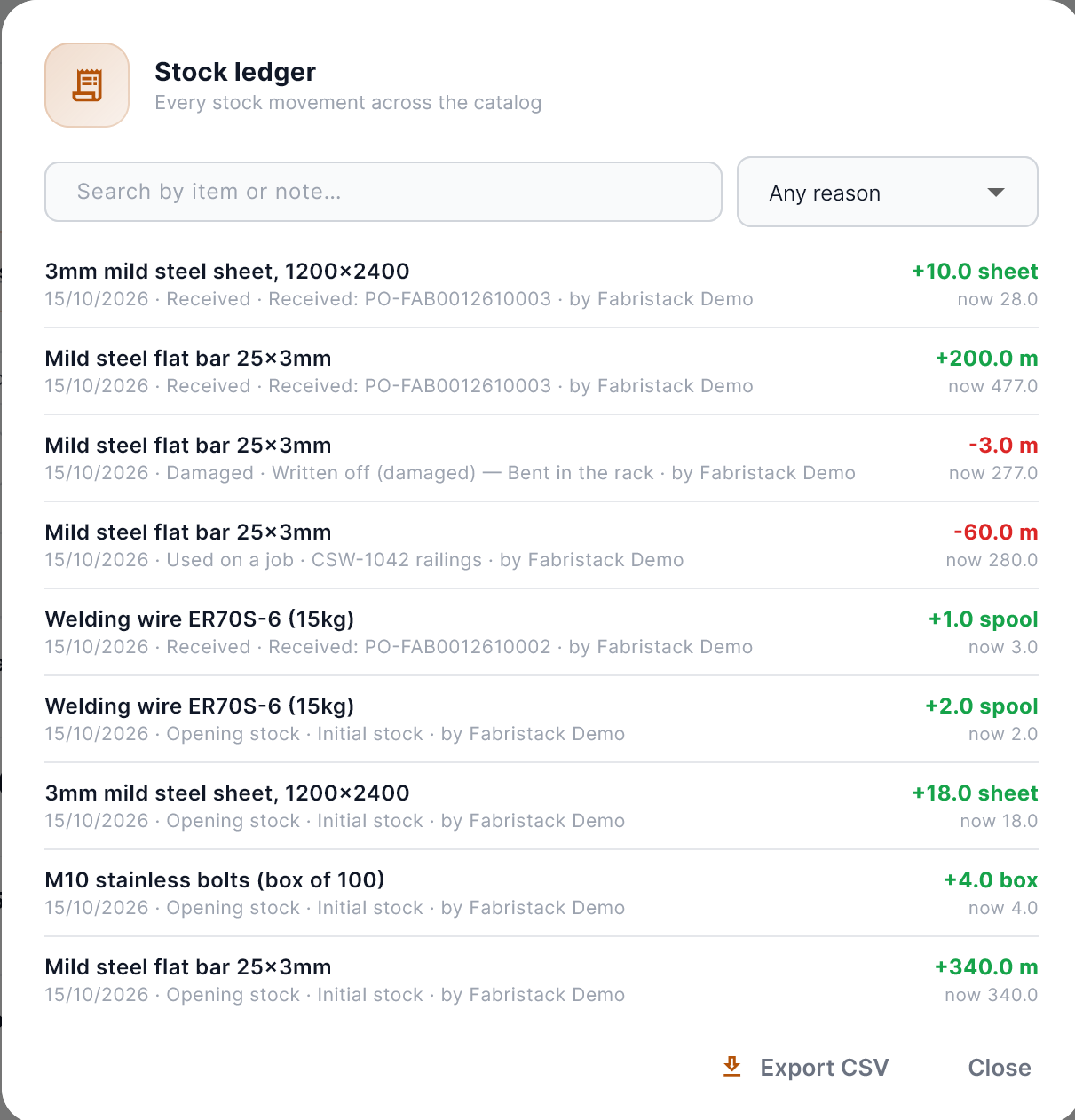
Every movement on record.
Every change to every count: what came in from which purchase order, what went out to which job, what was written off and why, and who did it.
- Search by item or note, and filter by reason.
- Export it as CSV for your accountant.
A number you can trust, and what to do about it.
Stock alert emails
Checked every 30 minutes. One email to the stock team when items hit their reorder point, run out, or a batch is about to expire.
Purchase orders
Suggested reorders, approval for big orders, received in part or in full, and a supplier chase email when one runs late.
Suppliers
Contacts, payment terms and bank details, with each supplier’s price history and how reliably they deliver.
Stock takes and scanning
Count with a barcode scanner, split the count between people, and approve big differences before they’re applied.
Batches, serials and locations
Track batches with expiry dates or serial numbers, split stock across stores and vans, and print barcode or QR labels.
Stock value
What your stock is worth now or on any past date, what’s been written off, and what hasn’t moved in months.