Compliance Tracker and reminders
Compliance Tracker watches every certificate against its expiry date and every audit against its due date, so nothing lapses without you knowing. This guide covers certificates, audits, the compliance report and WhatsApp reminders.
Certificates and audits
| Certificate | Audit | |
|---|---|---|
| What it is | A licence, certification or inspection, for a person or a piece of equipment. | A recurring check or review, with a checklist. |
| Examples | Forklift operator licence, first aid certificate, overhead crane inspection. | Annual safety audit, fire extinguisher service. |
| Tracked by | Expiry date | Due date |
Certificates
| Status | Meaning |
|---|---|
| Valid | More than 30 days until it expires. |
| Expiring soon | It expires within the next 30 days. |
| Expired | Past its expiry date. |
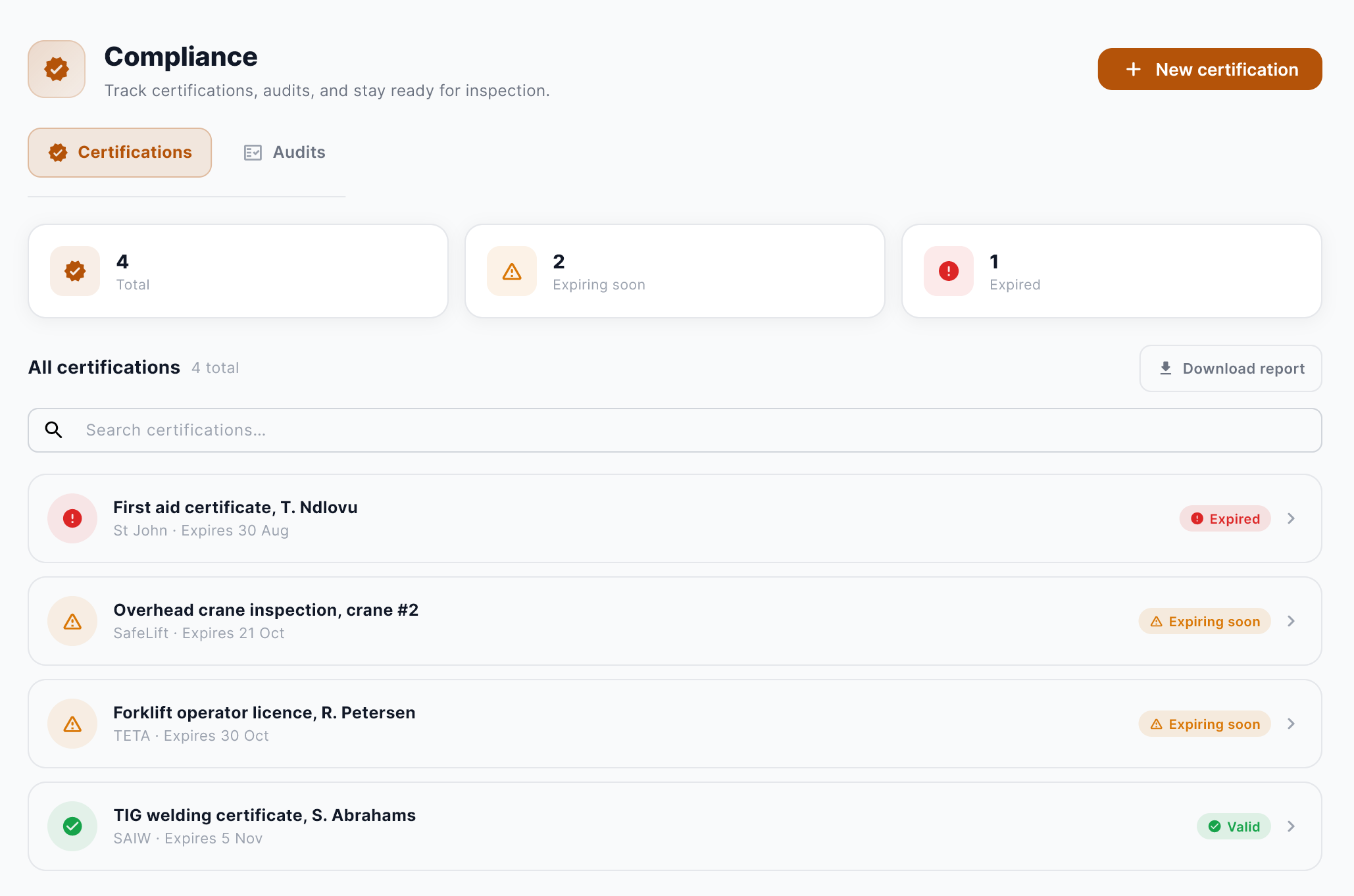
Record a renewal
When the inspection or course is done, open the certificate and enter the new issue and expiry dates. The status updates straight away.
Audits
An audit has a title, a type, a scheduled date and a due date, and a checklist of what it covers. The Audits tab shows each one with its status and how much of its checklist has been checked.
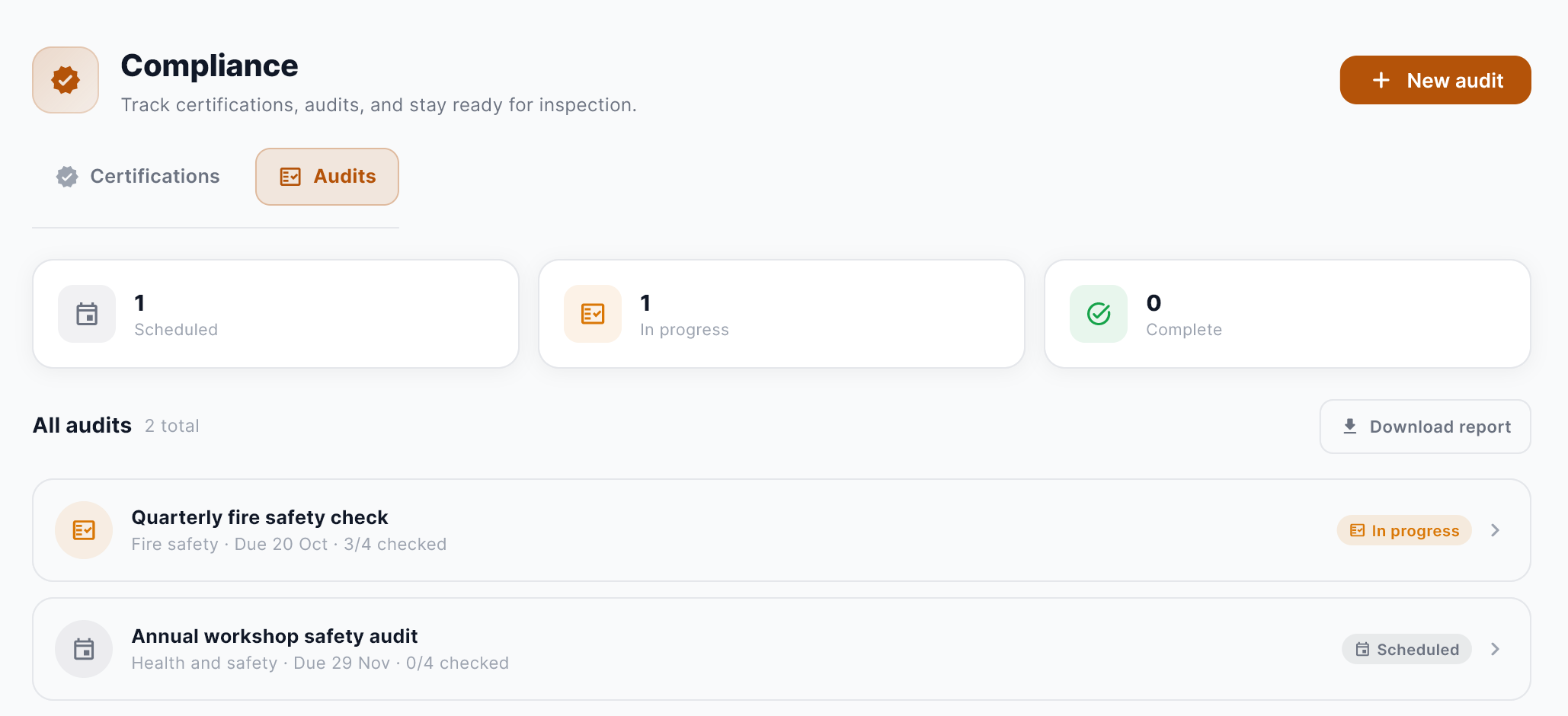
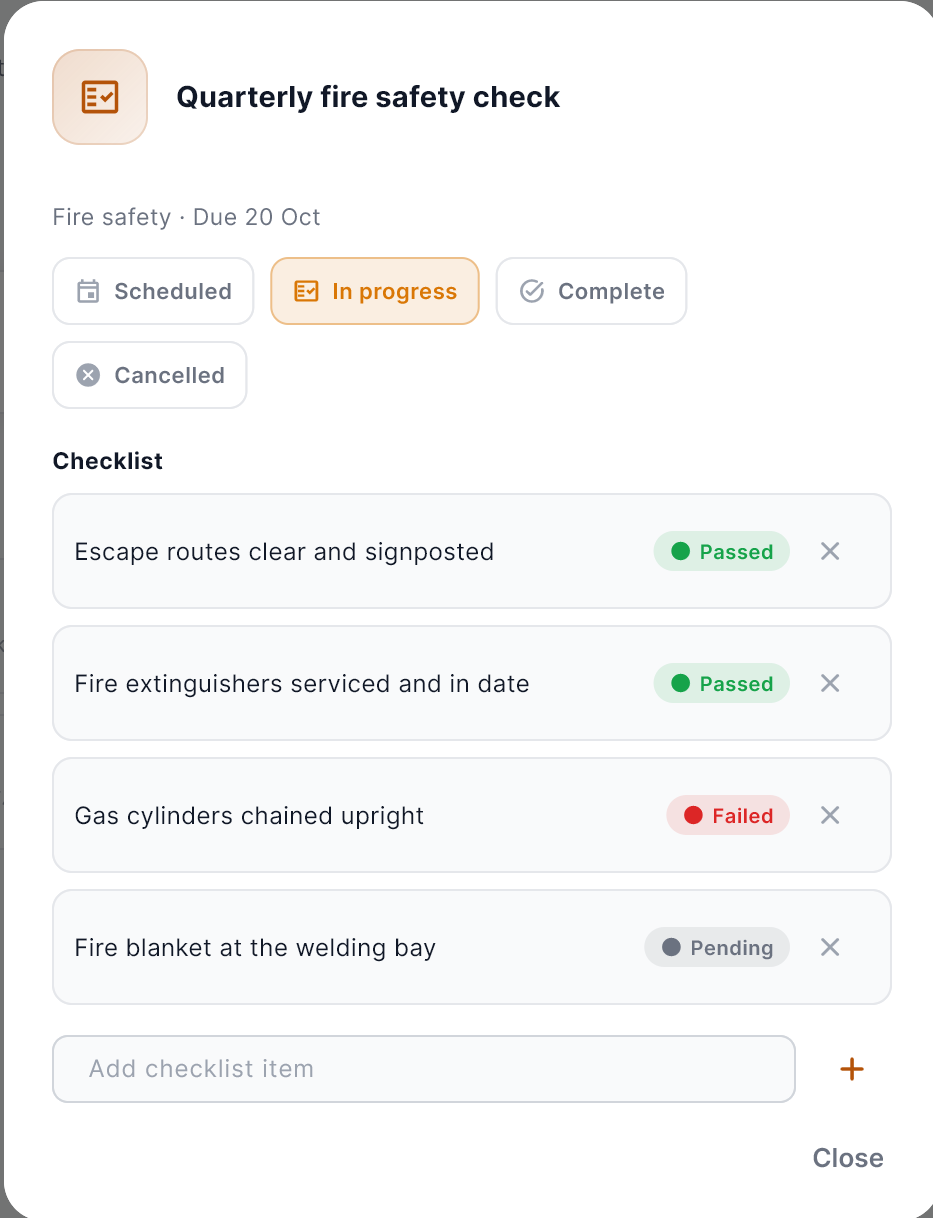
| Status | Meaning |
|---|---|
| Scheduled | Booked, not started. |
| In progress | Under way, with the checklist being worked through. |
| Complete | Done. |
| Cancelled | Not going ahead. |
The compliance report
Download report makes a PDF of every certificate and audit on file, with their dates and statuses, on your letterhead. It’s made fresh each time, so it always reflects what’s on file now. Hand it to an inspector or a client who asks.
Reminders on WhatsApp and email
Fabristack reminds the person responsible for each certificate and audit on WhatsApp and by email, and keeps at it until the item is renewed. Reminders are part of Compliance Tracker: not a separate module, and nothing extra to pay.
The default schedule
| When | Reminder |
|---|---|
| 60 days before | First reminder |
| 30, 14, 7, 3 and 1 days before | Reminder |
| 1 hour before | Reminder |
| Overdue | At 08:00 and 20:00, until it is renewed or stopped |
Keep the default, or set your own steps for a single certificate or audit when a regulator or client needs something different. When you renew an item, its old reminders are dropped and a fresh schedule starts.
The buttons
- Remind me later: the same reminder comes back in an hour, on WhatsApp and by email. It can be snoozed twice, and never past the next scheduled reminder.
- Mark as renewed: opens the exact item in Fabristack so the renewal gets recorded properly. A tap alone never marks anything renewed.
- Stop reminders: appears once an item has been overdue for a day, and ends its overdue reminders.
A reminder can only be acted on by the number it was sent to. Failed sends are retried, and every reminder is logged on the item as sent, delivered, read or failed. Switch WhatsApp reminders on or off at any time in Settings.
Habits that make it work
- Add everything with a date on it, not just the things you worry about.
- Record the certificate number, so the original is quick to find.
- Update the dates the day the renewal comes through.
- Download the report before an inspection, not during it.